I love WireGuard. It’s fast, secure, and beautifully simple. I used it for years with basic hub-and-spoke setups. But when I wanted to do more complex things, like game streaming from my dorm, using multiple VPSes as relay points, or supporting mobile devices, I hit a wall. The options were either stick with simple static configs (with their limitations), or dive into manual routing daemon setups (with OS-specific configurations and no good mobile support). I tried Tailscale, Nebula, and other mesh solutions, but their reliance on NAT traversal was a dealbreaker in restrictive networks like my university’s.
So I built nylon: a VPN that combines WireGuard’s security and performance with Babel’s dynamic routing into one portable package. Devices automatically find the best paths, handle network changes gracefully, and can route through multiple hops when needed. Minimal configuration, no centralized servers, no NAT traversal prayers.
This post dives into how nylon works, covering:
- Dynamic routing with Babel: How distance-vector routing adapts to network topology changes
- Forking WireGuard: Why I had to fork
wireguard-goand implement custom packet filtering - Performance optimization: Why packet batching matters (1.5 Gbit/sec → 12 Gbit/sec)
Want to try it? Check it out on GitHub. Documentation
Requirements: Linux, macOS, or Windows (experimental) • At least one publicly reachable machine if you need access from the internet
Story time
How did I end up building a routing protocol? It started with a gaming PC and some questionable life choices.
(Skip to Designing Nylon if you just want the technical details.)
The setup
A while ago, I was heading to uni, and convinced myself to splurge on a new custom gaming PC. My old PC was running an i7 from the skylake era with 4 measly cores, and I wanted something that can last me a good few years.
Click to be amazed by the PC
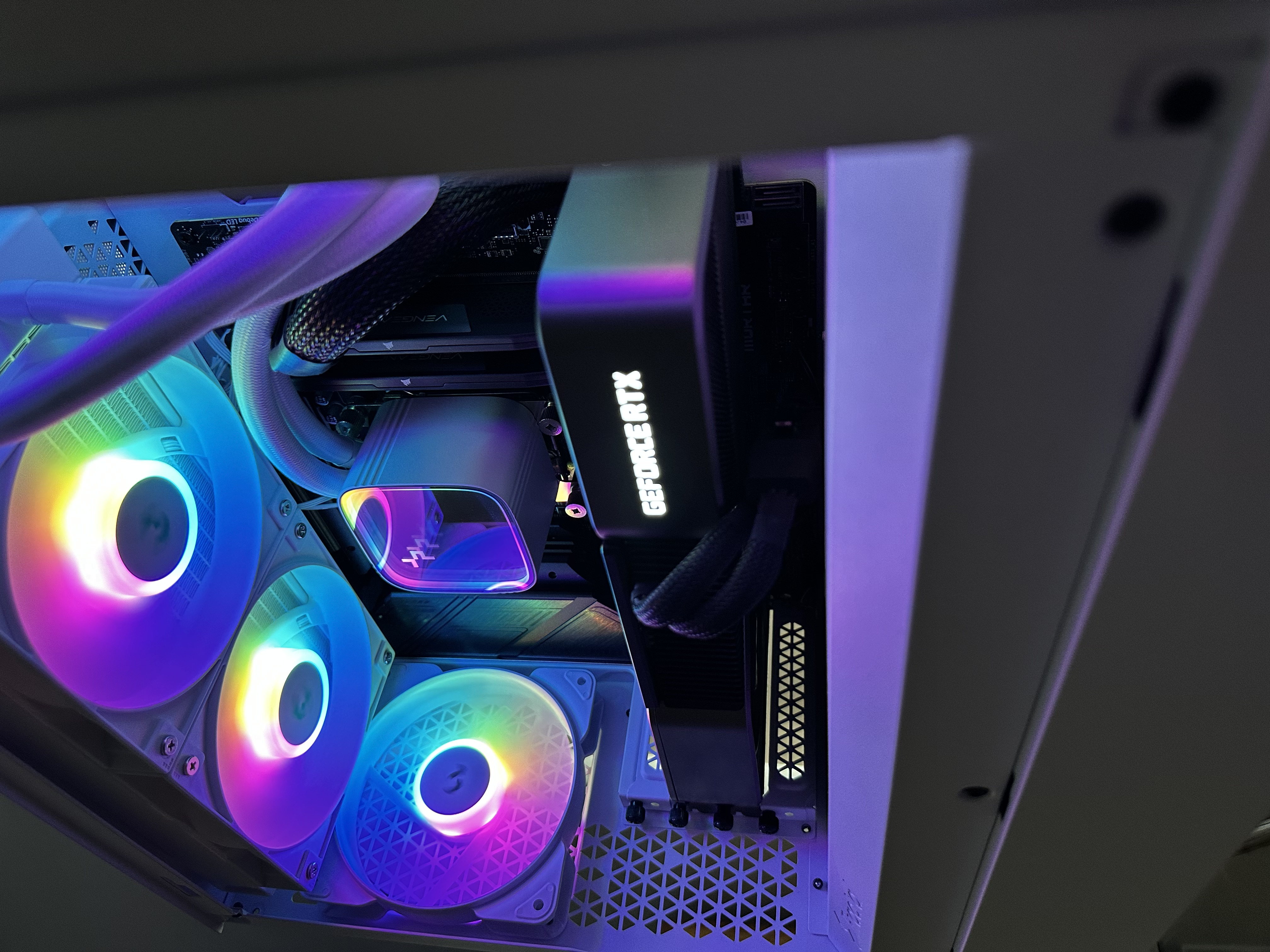
(I never use the pc with RGB on, but it looks cool in photos!)
- AMD Ryzen 9 7900X
- 64GB Corsair Vengeance DDR5 RAM
- NVIDIA GeForce RTX 3080 - I bought the GPU from an old crypto miner, so it was a great deal! As of writing, it’s still not dead.
- Samsung 980 Pro 1TB NVMe
Full list on PCPartPicker.
Building this was a blast, but part of my plan was to also use it as a server and as a self-hosted “cloud gaming” platform. A key requirement was that I could access it from anywhere, as I often travel between uni and home.
Hub-and-spoke: the first attempt
Now, the former is easy enough. I can just run services on it directly, and I followed some guide to set up a hub-and-spoke WireGuard network to connect it to a cloud VPS. I connected all of my devices to the same hub VPS, and could access my server from anywhere!
What is hub-and-spoke?
You have a central server (the hub) that all other devices (the spokes) connect to. That hub acts as a router, forwarding traffic from one spoke down another. The key is that the hub must be accessible from anywhere, so that through it, all spokes can communicate with each other.

Notice that in this setup, the spokes cannot directly connect to each other. All traffic must go through the hub.
This is great and all, and honestly works fine if I was just running some basic web services like gitea or vaultwarden.
Where hub-and-spoke breaks down
At Uni, my new PC was essentially running headless, tucked away in a corner of my dorm room. It was kind of loud, so I kept it out of the way where it wouldn’t disturb me while I worked or slept.
I mentioned that my second use case was game streaming, and this is where I might have been a bit too ambitious. My goal was to stream games from the PC to my laptop, effectively turning it into a thin client.
Game streaming is very latency-sensitive. Even a small amount of jitter can make the experience pretty frustrating. There is an obvious solution, where I simply connected my laptop and PC over Ethernet, and had Moonlight connect directly over the LAN.

This worked great, but now I had to remember to switch between my home network and the WireGuard VPN whenever I wanted to game remotely. Now I had two distinct internal networks, one for my global VPN, and one for my LAN.
What I actually wanted
This is where most sane people would just call it a day and admit defeat, but clearly I am not. I wanted a single network to rule them all. A network where my laptop, PC, and other devices could seamlessly connect to each other using a unified addressing scheme, and always using the best possible route.

Is this too much to ask for?
Evaluating existing solutions
Now, if you have read until this point, you might be thinking… “Don’t we already have Tailscale and similar services for this exact use case?”
Yes, we do! Here’s how they compare:
| Solution | Multi-hop routing | Works on restrictive NATs | Mobile support | Self-hosted | Local Network Support |
|---|---|---|---|---|---|
| Tailscale / Nebula / Innernet | ✗ (1-hop relay max) | ✗ (relies on NAT traversal) | ✓ | Partial | ✓ |
| Cloudflare Zero Trust / WARP | ? | ✓ | ✓ | ✗ | ✗ |
| BGP/OSPF over WireGuard | ✓ | ✓ | ✗ (no mobile daemon) | ✓ | ✓ |
| Nylon | ✓ | ✓ | ✓ (passive clients) | ✓ | ✓ |
A few more details on each:
- Tailscale, Nebula, Innernet: “Mesh” is somewhat of a misnomer. They assume every device can directly connect via NAT traversal. Sometimes, the direct connection isn’t the best path available, but there is no easy way to configure alternative routes. They also require centralized coordination servers for key distribution.
- Cloudflare Zero Trust / WARP: I actually used this for a while to make some services public to the internet. Its convenient but opaque. More of a “trust nobody, except Cloudflare” approach.
- BGP/OSPF over a Tunnel: The most “traditional” approach (see this great blog post), but poor portability and manual p2p link management.
After much deliberation, I felt I could improve on the BGP/OSPF approach by solving the portability and usability problems.
Designing Nylon
The core idea is simple: mash together WireGuard and a dynamic routing protocol (Babel) into a single package. The result is a VPN that is dynamic, performant, secure, and just works, regardless of the network topology.
To pull this off, I had to tackle challenges from both the “brain” (routing protocol) and the “brawn” (WireGuard).
The Brain: The Babel Routing Protocol
In a data structures and algorithms class, you might have learned about various shortest-path algorithms, such as Dijkstra’s and Bellman-Ford. It turns out this knowledge is very useful in networking!
In networking, there is a family of algorithms called “distance-vector” routing, which is a distributed version of Bellman-Ford. Each router maintains a table of the best-known distance to each destination and periodically shares this information with its neighbours. Over time, all routers converge to the optimal paths.
A simple example
Just to be concrete, let’s consider a simple network of 4 nodes: A, B, C, and D. For simplicity, suppose each node broadcasts its route table to each of its connected neighbours.
In this example, we tuck away some of the complexity. In a real network, we work with prefixes, which may be advertised by multiple routers. So what we really advertise is a pair, (router-id, prefix), called a source.
What the diagram shows:
- The boxes each represent a route table, from the node’s perspective.
- The key, (e.g
S0) represents a node, and a sequence number (you can think of this as a version number for the node).- The value, (e.g
0,inf) represents the cost to reach that node from the current one.

At this point, each node only knows about itself. We label the cost to reach itself as 0, and all other nodes as inf.

Now, each node has broadcasted a “self route” to its neighbours. For example, now S knows that it can reach A with a cost of 0 + 3 = 3, since the cost for A to reach A is 0, and the cost to reach A from S is 3.

Now, something interesting happens. Suppose B broadcasts its route table to its neighbours, A and C.
For A:
- It learns that it can reach
CviaBwith a cost of1 + 1 = 2 < 3, so we have found a better path toC! Similarly for the cost ofAin nodeC’s route table.
We continue this process, and eventually all nodes converge on the optimal paths to each other.

Here we show the optimal forwarding graph from node S. Notice that the best path to C is not the shortest hop count.
When something goes up, it must come down
In the real world, networks are not static. Links can go down at any time, therefore our algorithm must be able to adapt to these changes.

In this example, we see that link A-B has gone down. Suppose node B detects this failure first, it will switch route to C for reaching A. However do you notice a problem?

Node C still thinks that the best path to A is via B, and vice versa. This creates a routing loop, where packets destined for A will keep bouncing between B and C.
We can solve this problem by using a combination of a feasibility condition and a secondary sequence number.

Without going into too much detail, we never accept routes that are worse than a route we have advertised in the past, unless they have a higher sequence number. The sequence number can only be incremented by the origin node, so it guarantees that a network condition has sufficiently propagated through the network, and a loop cannot form.
In this example, B will hold off on accepting C’s route to A, until it hears from A that its sequence number has increased.
If you want to learn more about the Babel protocol, you can watch this great talk by Juliusz Chroboczek, or read the RFC.
Nylon closely implements the Babel RFC, with some minor changes to better suit our use case. You can take a peep at my implementation if you are interested.
Passive clients
Now, this protocol works great for routers and servers. But what about mobile devices or laptops that frequently go to sleep? (So-called “passive clients”)
These devices need special handling:
- They should avoid running a full routing daemon to conserve battery
- They must seamlessly switch between nodes without reconfiguring the network
Let’s start small: Have passive clients connect to a nylon node, then the node advertises the client’s presence to the rest of the network.
Let’s try this out with our previous example. Suppose node S is a passive client, and connects to router A.

Notice that router A advertises a route to S with cost 0, even though the link cost is 3. Why?
Shas no other connections, soAis the only path- Passive clients don’t measure link quality (saves battery)
- Keeping the cost at
0reduces unnecessary route updates across the network
That’s great, it works in this example! But what if we want S to connect to B instead? Now A must somehow withdraw its route to S, and have B advertise a new route.

Let’s consider our options for how to handle this switch:
- We could have
Bsend a special withdrawal message toA, but this makes our protocol more complex. - We could also wait for
Sto timeout onA’s route, but this would cause a long delay during the switch. Using a time-out mechanism would also lead to poor battery life for mobile devices, since we would need to have the client periodically wake up to send a keep-alive message. - We also don’t want to remove the route too eagerly, since the client might just be temporarily idle (e.g. laptop sleeping), and we want to save on the route propagation delay if it wakes up again (during that time, the client might not be able to reach all nodes).
Passive Hold
One way I thought about solving this problem was to have a “passive hold” mechanism. When a passive client connects to a node, and stops sending packets for a certain period of time, we can increase the metric to inf/2, and just keep advertising it indefinitely.
We pick inf/2 as the cost for the following reasons:
- It indicates that the route is degraded, but not necessarily unreachable.
- This allows other nodes to prefer alternative routes if they exist, but still have a fallback option if the client wakes up again.
- Using half of the maximum metric leaves enough headroom for link costs to be added without overflowing
INT_MAX.
Suppose
Sis the original source advertised byA, andS'is the new source advertised byB.

If S later connects to B, we can have B advertise a better route with cost 0. All we need is to check on A if anyone else is advertising a route to S with a better cost, and if so, we can stop advertising the route to S from A.

With this setup, we can even have the same passive client advertised by multiple nodes at the same time, and the network will automatically route packets to the best path! (Maybe you want to use identical images on your edge nodes, and automatically anycast clients to the closest one?)
Great! We’ve solved the routing problem. Now we need to actually move packets.
The Brawn: WireGuard
We cannot only have brains, we also need brawn! WireGuard does the heavy lifting of securely transporting packets between nodes. However, making WireGuard work with dynamic routing turned out to be… interesting.
AllowedIPs are too restrictive (asymmetric routing)
The problem: WireGuard’s AllowedIPs enforces the same policy on both incoming and outgoing packets. This breaks dynamic routing scenarios where different nodes might choose different paths.

Consider this scenario with two equal-weight paths between A and C. We might end up with asymmetric routing:
- Outbound:
A -> B -> C - Return:
C -> A(direct)
Here’s A’s WireGuard configuration:
[Interface]
PrivateKey = <A's private key>

[Peer]
PublicKey = <C's public key>
AllowedIPs = none # A has selected B as the next hop for C

[Peer]
PublicKey = <B's public key>
AllowedIPs = 10.0.0.2/32, 10.0.0.3/32 # A routes B and C via B
When C sends a packet directly to A, WireGuard checks AllowedIPs and sees that C is not allowed. Packet dropped!
The solution: Relax the inbound restriction on AllowedIPs. We need to accept packets from any peer, but still control where we send packets.
Polyamide, the precursor to nylon
I had the option to use multiple WireGuard interfaces, one for each peer, and let our system routing handle the rest… But this defeats most of the motivations behind nylon, which is unacceptable!
So, in the name of portability, I forked wireguard-go into polyamide.
The fork wasn’t just for AllowedIPs. Here are the key changes I made:
- Programmatic packet processing API: Inspect and modify packets for routing decisions (TTL handling) with very low overhead
- Multiple endpoints per peer: Probe multiple paths to the same neighbour over the same encrypted tunnel
Traffic Control
The solution is an in-process packet filter I called “Traffic Control” (similar in name only to Linux’s tc command).
The API is simple:
const (
    // TcPass will pass the packet on to the next layer
    TcPass TCAction = iota
    // TcBounce will bounce the packet back to the system for handling
    TcBounce
    // TcForward will send the packet through nylon/polyamide. toPeer must be set in TCElement
    TcForward
    // TcDrop will completely drop the packet
    TcDrop
)

// Users can define a TCFilter function to inspect and modify packets.
type TCFilter func(dev *Device, packet *TCElement) (TCAction, error)

// InstallFilter installs a TCFilter on the WireGuard device.
func (device *Device) InstallFilter(filter TCFilter) {
    device.TCFilters = append(device.TCFilters, filter)
}
Polyamide will call the installed filters for each incoming and outgoing packet. The filter can then inspect and modify the packet, and return an action to take.
For example, in nylon, we install the following filter to route packets based on our routing table to a specific peer:
n.Device.InstallFilter(func(dev *device.Device, packet *device.TCElement) (device.TCAction, error) {
    entry, ok := r.ForwardTable.Lookup(packet.GetDst())
    if ok {
        packet.ToPeer = entry.Peer
        return device.TcForward, nil
    }
    return device.TcPass, nil
})
I used bart, which provides an extremely fast IP prefix lookup table for the routing table.
Implementing Traffic Control
This is in the hot path of every packet, so any inefficiency here would tank performance.
At first, I made a naive implementation where each packet is processed individually, which looks somewhat like (pseudo go code):
func (device *Device) TCProcess(elem *TCElement) {
    act := TcPass // do nothing

    // loop through filters
    for _, filter := range slices.Backward(device.TCFilters) {
        act = filter(device, elem) // run filter
        if act != TcPass {
            break
        }
    }

    switch act {
    case TcDrop:
        // drop the packet
    case TcBounce:
        // bounce back to system
        device.tun.device.Write(elem.buffer, MessageTransportHeaderSize)
    case TcForward:
        // reroute/forward packet
        peer := elem.ToPeer
        peer.Send(elem)
    }
}
Running iperf3 using this implementation on a direct peer-to-peer link yielded abysmal performance:
Connecting to host 10.2, port 5201
[  5] local 10.0.0.1 port 52794 connected to 10.0.0.2 port 5201
[ ID] Interval           Transfer     Bitrate         Retr  Cwnd
[  5]   0.00-1.00   sec   178 MBytes  1.50 Gbits/sec    0    259 KBytes
[  5]   1.00-2.00   sec   176 MBytes  1.48 Gbits/sec    0    256 KBytes
[  5]   2.00-3.00   sec   176 MBytes  1.48 Gbits/sec  191    401 KBytes
[  5]   3.00-4.00   sec   174 MBytes  1.46 Gbits/sec  862    262 KBytes
[  5]   4.00-5.00   sec   176 MBytes  1.48 Gbits/sec    8    259 KBytes
- - - - - - - - - - - - - - - - - - - - - - - - -
[ ID] Interval           Transfer     Bitrate         Retr
[  5]   0.00-5.00   sec   880 MBytes  1.48 Gbits/sec  1061             sender
[  5]   0.00-5.00   sec   877 MBytes  1.47 Gbits/sec                  receiver

iperf Done.
For reference, a normal wireguard-go setup without this naive implementation yields around 12 Gbit/sec on the same hardware.
Let’s dig a little bit deeper. Go has a built-in profiler (pprof), which can help us identify bottlenecks in our code.
But wait, what’s this? It seems like most of our time is actually spent in syscalls!
To diagnose this further, I implemented a metrics monitoring mechanism, and here are the results:
With this information, and a little bit more reading into the wireguard-go codebase, I realized to achieve high performance, WireGuard is using sendmmsg and recvmmsg syscalls on Linux (alongside UDP GSO and GRO). These syscalls allow sending and receiving multiple messages in a single syscall, greatly reducing the overhead of context switching between user space and kernel space.
And as I could clearly see in the above profile, our naive implementation was making a syscall for routing every single packet.
Preserving batches
The problem was clear: my naive Traffic Control implementation was fragmenting WireGuard’s batches by processing packets individually. I needed to re-implement it to preserve those batches, grouping packets by endpoint and routing them in bulk without breaking up the sendmmsg/recvmmsg calls.
You can read the new implementation here.
The difference is night and day. Here are the new iperf3 results:
Connecting to host 10.2, port 5201
[  5] local 10.0.0.1 port 50146 connected to 10.0.0.2 port 5201
[ ID] Interval           Transfer     Bitrate         Retr  Cwnd
[  5]   0.00-1.00   sec  1.57 GBytes  13.5 Gbits/sec  23487    820 KBytes
[  5]   1.00-2.00   sec  1.12 GBytes  9.60 Gbits/sec  17371   2.95 MBytes
[  5]   2.00-3.00   sec  1.10 GBytes  9.49 Gbits/sec  15034   2.40 MBytes
[  5]   3.00-4.00   sec  1.50 GBytes  12.9 Gbits/sec  22363   1.54 MBytes
[  5]   4.00-5.00   sec  1.52 GBytes  13.1 Gbits/sec  21845   3.28 MBytes
[  5]   5.00-6.00   sec  1.50 GBytes  12.9 Gbits/sec  19889   3.32 MBytes
[  5]   6.00-7.00   sec  1.28 GBytes  11.0 Gbits/sec  21518   3.52 MBytes
[  5]   7.00-8.00   sec  1.63 GBytes  14.0 Gbits/sec  28213   2.87 MBytes
[  5]   8.00-9.00   sec  1.32 GBytes  11.3 Gbits/sec  19174    740 KBytes
[  5]   9.00-10.00  sec  1.53 GBytes  13.2 Gbits/sec  16395   1.14 MBytes
- - - - - - - - - - - - - - - - - - - - - - - - -
[ ID] Interval           Transfer     Bitrate         Retr
[  5]   0.00-10.00  sec  14.1 GBytes  12.1 Gbits/sec  205289             sender
[  5]   0.00-10.00  sec  14.1 GBytes  12.1 Gbits/sec                  receiver

iperf Done.
This marks over 8x improvement in throughput, reaching the same performance as vanilla wireguard-go!
Looking at the profile, we see that there is significantly less time spent in syscalls, and a lot more time spent in cryptographic operations (which is what we want):
A note on security
Nylon inherits WireGuard’s cryptographic guarantees for data transport. All traffic between peers is authenticated and encrypted. The Babel control plane runs inside the encrypted WireGuard tunnels, so route advertisements are only exchanged between authenticated peers. A node can only participate in the mesh if it holds a private key corresponding to a public key that other nodes have explicitly configured as a peer. That said, nylon currently trusts all peers equally, meaning that a compromised node could advertise bad routes to attract traffic. If this matters for your threat model, isolate untrusted nodes into separate networks.
Data is notably not encrypted end-to-end, since each node decrypts and re-encrypts packets as they forward them. This is a fundamental limitation of any VPN that performs routing decisions based on packet contents. If end-to-end encryption is required, it should be implemented at the application layer (e.g. using TLS), or by running an additional end-to-end encrypted tunnel on top of nylon.
Conclusion
Nylon was a project born out of a desire to scratch a personal itch, streaming games. But, as it evolved, I found it could be a powerful tool which replaced other VPN software in my workflow. It is still a young project, and there are many more features and improvements to be made.
If you are interested in trying out nylon, or contributing to its development, please check out the GitHub repository. Documentation is available at nylon.jq.ax.
“Simplicity is complexity resolved.” - Constantin Brâncuși